

New to Coinmama or don’t have a verified account yet? Click here!
Existing Coinmama users
If your account has already been verified, but after initiating an order you see the following popup, then you’re likely residing in an area that is served through a third-party platform or provider:
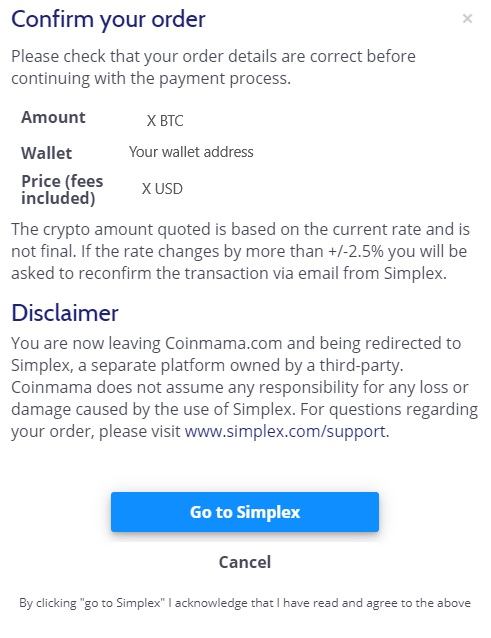
Note: Have any issues with your order? Visit our help center, or submit a request to our support team.
Returning Coinmama users
If you would prefer to be served directly by Coinmama please contact our support team here.
New Coinmama users
Upon registering, you’ll see a blue “Buy Now” button. Clicking it will prompt you to fill out your order details.
- Register and confirm your email address
- Enter your cryptocurrency wallet address and desired order amount. Note that the price provided by Coinmama is a quote, and may change before your order is completed.
- Click “buy now” and agree to the terms of use.
- Enter your payment details, then confirm the transaction by email and mobile
- To complete your order, you will need to verify your identity. This includes entering your personal details and uploading a copy of your identification card. Once approved, your transaction will be automatically completed.
Note: You’ll be able to see all of your transactions on your Coinmama account page, which will reflect the price quoted by us, which may differ from the price paid. The finalized details of your transaction will be sent to you by email.