

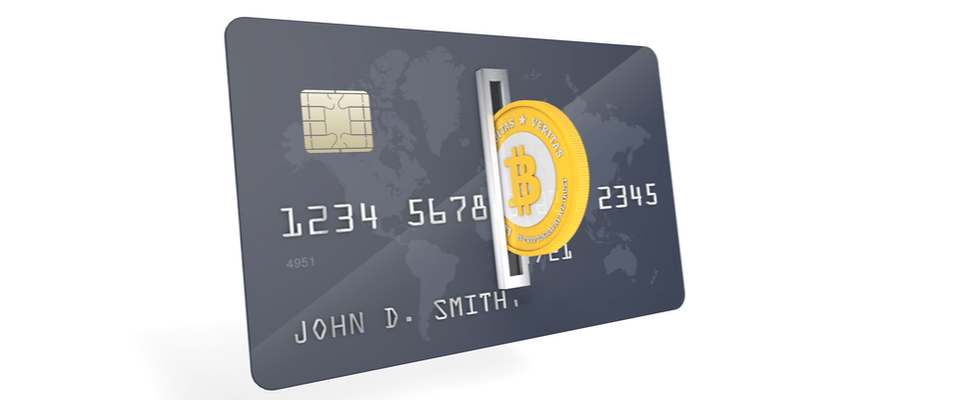
To buy Bitcoin with a credit or debit card, open an account on a crypto exchange, verify your identity, enter the wallet address for your bitcoin and pay by card, approving the payment with your bank if asked. Check all fees before you confirm. Some credit card issuers treat crypto purchases as cash advances, which can cost extra.
Paying by card is one of the most familiar ways to buy Bitcoin. It works much like any other online purchase: you choose an amount, enter your card details and approve the payment with your bank. A few things are different, though, and knowing them can save you money and a declined payment.
This guide covers the card part of buying crypto: debit versus credit cards, the extra charges your card issuer may add, why banks decline crypto payments and how to pay safely. For the whole process, from setting up a wallet to your first purchase, read the beginner’s guide to buying crypto or the step-by-step guide on how to buy Bitcoin. When you are ready, see prices and payment options.
Can you buy Bitcoin with a credit or debit card?
Yes. Many crypto exchanges accept debit and credit cards, as long as your card issuer allows the payment. Coinmama is a cryptocurrency exchange, and paying by card is one of the payment options it lists.
Which options you see depends on your country. Before you start, compare the payment methods and check the account limits and payment methods that apply to you. The help page on paying by card walks through the card checkout.
Your card also has to work for online payments. Some cards, such as cards that only work at cash machines, cannot be used online. If you are not sure what your card supports, ask your card issuer.
Should you pay with a debit card or a credit card?
The main difference is where the money comes from. With a debit card, you spend money that is already in your bank account. With a credit card, you borrow money from your card issuer and must repay it by the due date. The US Consumer Financial Protection Bureau (CFPB) explains that paying less than the full amount means paying interest (as of September 2026).
| Feature | Debit card | Credit card |
|---|---|---|
| Where the money comes from | Your own bank account | A loan from your card issuer |
| Spending more than you have | Not possible: the payment is declined, unless you have an overdraft | Possible, up to your credit limit |
| Cash advance charges | None, although your bank may have other fees | Some issuers treat crypto purchases as cash advances |
| Interest | None, unless you overdraw your account | Charged if you do not repay in full; on a cash advance it usually starts on the day you pay |
Borrowing to buy crypto adds risk. The price of a bitcoin can rise or fall sharply over a short period. If the price falls, you still owe the full amount on your card, plus any fees and interest. Only spend money you can afford to lose, and plan to pay off your card balance in full.
Is buying crypto with a credit card a cash advance?
It can be. Some credit card issuers treat crypto purchases as cash advances. A cash advance usually costs more than a normal purchase: there is often an extra fee, and interest starts on the day of the payment, commonly at a higher rate.
The CFPB notes that buying cryptocurrency could trigger a cash advance fee. In the card agreements it reviewed, most large issuers charged the greater of $10 or 5 percent of the amount, and the most common cash advance rate was 30 percent APR (as of December 2024). A Chase credit card agreement in the US, for example, lists buying cryptocurrency among “cash-like transactions”, which it treats as cash advances (as of September 2026).
Your card issuer decides how it treats the payment, not the exchange you buy from. Check your card agreement or ask your issuer before you pay. Read what a cash advance fee is, and see cash advance and other bank fees if you spot a charge you did not expect.
Your card issuer may also charge a foreign transaction fee when you pay in another currency or pay a business based abroad (CFPB, as of September 2026). Check your card terms for this fee too.
How do you buy Bitcoin with a card on Coinmama?
You create an account, get verified, enter your wallet address, then pay by card and approve the payment with your bank. Each step below links to the help page with the details.
- Check your payment options. See which payment methods and limits apply where you live on the account limits and payment methods page.
- Create an account and get verified. Have a valid photo ID ready, and see how to get verified.
- Have your wallet address ready. Crypto is delivered to the wallet address you provide, so use a wallet you control. New to wallets? Read what a crypto wallet is.
- Place your order and choose card payment. Pick the coin and the amount, enter your wallet address and select card as the payment method. The guide to placing an order shows each screen.
- Check the total and confirm. The fees for your order are shown before you confirm. The fees and charges page explains them.
- Approve the payment with your bank. Your bank may ask you to confirm the payment in its app or with a one-time code. This check is called 3-D Secure. If it fails, see what to do when 3DS authentication fails.
- Wait for the network to confirm the transfer. Once your order is processed, the blockchain has to confirm the transfer to your wallet. If it seems slow, see blockchain delays and confirmations.
Why was my card payment declined?
Your bank or card issuer approves or declines every card payment, so a decline usually starts there. Some banks also limit or block payments to crypto services on purpose. These are common reasons:
- Your bank blocks or limits crypto payments. Chase UK, for example, says it declines card payments and bank transfers to crypto exchanges (as of September 2026).
- A fraud check stopped the payment. Your bank may hold back a payment that does not match your usual spending.
- The 3-D Secure check did not finish. If you close the window or the code expires, the payment fails.
- There was not enough money or credit. Your balance or credit limit has to cover the whole total, including fees.
- The card is not set up for this kind of payment. Some cards are blocked for online or international payments until you switch them on.
What to do: call your bank or check its app, confirm that you made the payment and ask whether it allows crypto purchases. Then try again, or choose another payment method. If your card was charged but your order did not go through, contact Coinmama support.
How much money do you need on your card?
Your bank or card issuer may add its own charges on top, such as a cash advance fee or a foreign transaction fee. These appear on your card statement, not at checkout, so leave room for them on a credit card. Read more about Coinmama fees.
Your bank may also set a daily limit for online card payments. The limits that apply to your Coinmama account are explained on the account limits and payment methods page.
How do you stay safe when you pay by card?
Pay only on the real site, keep your card details and one-time codes to yourself, and check your wallet address before you confirm.
- Bookmark the official site. Save coinmama.com as a bookmark and open it from there each time. Scammers copy real sites and send the links by email, text message or ads. The US Federal Trade Commission (FTC) advises contacting a company through a website or phone number you know is real, not the details in a message.
- Check the address bar. Before you type your card details, check that the web address is spelled exactly right. Fake sites often use addresses that look almost the same.
- Never share a one-time code. A 3-D Secure code is only for a payment you started yourself. Treat anyone who asks you for one as a scammer.
- Check the wallet address twice. A Bitcoin transaction cannot be reversed. It can only be refunded by the person who received it.
- Watch your card statement. Report any payment you do not recognize to your card issuer straight away.
Learn how phishing works and how to protect yourself from fraud. Scammers also pretend to be support staff: read the warnings about phishing attacks and Coinmama employee impersonators.
Sources
- Consumer Financial Protection Bureau: How are prepaid cards, debit cards, and credit cards different? (checked September 2026)
- Consumer Financial Protection Bureau: Can I withdraw money from my credit card at an ATM? (checked September 2026)
- Consumer Financial Protection Bureau: Credit card cash advance fees spike after legalization of sports gambling (Data Spotlight, 16 December 2024) (checked September 2026)
- Chase: Cardmember Agreement, “Cash-like transactions” (checked September 2026)
- Consumer Financial Protection Bureau: Regulation Z, official interpretation of section 1026.60 (foreign transaction fees) (checked September 2026)
- Chase UK: Can I use my Chase account to make crypto asset payments? (checked September 2026)
- EMVCo: EMV 3-D Secure (checked September 2026)
- US Federal Trade Commission: How to recognize and avoid phishing scams (checked September 2026)
- Bitcoin.org: Some things you need to know (checked September 2026)